
Tracking a Call Courier shipment? You’re in the right place — all Call Courier parcels can now be tracked here.
Enter Your Tracking Number
Tracking results are generated using the latest information available about your shipment.
Sign up to track up to 14 of your PostEx tracking numbers.
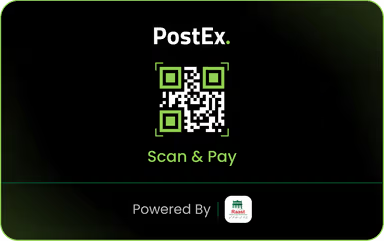
COD Goes Cashless With PostEx
You can now pay for COD orders with Raast QR
What is PostEx?
PostEx is a courier and logistics company in Pakistan that provides reliable parcel delivery services for businesses and individuals. It is widely used by online stores and eCommerce sellers to deliver orders across the country. With a tracking number, you can monitor your shipment from booking to final delivery. PostEx also offers cash-on-delivery (COD) services, making it a popular choice for online businesses. You can use our PostEx Tracking tool to check the latest status of your shipment quickly and free of charge.
23000+
Active Merchants
750+
Covered Cities
4M+
Monthly Deliveries
8500+
Active Riders
How to Track PostEx Parcel?
Tracking your PostEx parcel is quick and easy. Simply enter your PostEx tracking number into our tracking tool and click the Track button. You’ll instantly see the latest shipment status, current location, and delivery progress in real time.
Get Your Tracking Number
Ask your seller or check your order confirmation SMS and email. The tracking number is usually 14 digits and shared after dispatch.
Enter It in the Box Above
Paste or type the number in the tracking field at the top of this page. Copy-paste is recommended to avoid typos.
Press Track
Hit the Track button. Results load in seconds and show the latest scan event, city, and current status.
Check Back Anytime
Bookmark this page and search again anytime. Each search fetches the most current data available.
Act on the Status
If the status shows “Out for Delivery,” stay available. If it shows “Consignee Not Available,” contact your seller or PostEx for a re-delivery.
| Tracking Status | Meaning | What You Should Do |
|---|---|---|
| The shipment has been registered in the PostEx system, but it has not yet been picked up. | Wait for the parcel to be collected from the sender. |
| The sender has officially booked the shipment with PostEx. | No action is required. Tracking will update after pickup. |
| PostEx has collected the parcel from the sender. | Your shipment is now moving through the delivery network. |
| The parcel has reached the first PostEx sorting facility. | Wait for it to be processed and forwarded. |
| Your shipment is traveling between PostEx facilities or cities. | Continue tracking until the next update appears. |
| The parcel has reached the delivery city or nearest sorting center. | Delivery is expected soon. |
| The courier has your parcel and is delivering it today. | Keep your phone available and ensure someone can receive the parcel. |
| The shipment has been successfully delivered to the recipient. | No further action is needed. |
| The courier tried to deliver the parcel but was unsuccessful. | Contact PostEx or arrange another delivery attempt. |
| The recipient was unavailable when the courier arrived. | Coordinate with PostEx to schedule another delivery. |
| The delivery address is incomplete or incorrect. | Contact the sender or PostEx to update the correct address. |
| The delivery has been postponed to another date. | Wait for the new delivery schedule or contact customer support. |
| The shipment could not be delivered and is being returned to the sender. | Contact the sender if you still need the parcel. |
| The returned parcel is on its way back to the sender. | Wait until the return process is completed. |
| The returned shipment has been successfully delivered back to the sender. | Contact the sender regarding the next steps. |
| The shipment was cancelled before delivery. | Contact the sender for more information. |
| The parcel has been temporarily delayed due to operational or other issues. | Wait for the next tracking update or contact PostEx support. |
| PostEx could not locate the shipment within its network. | Contact PostEx immediately to initiate an investigation. |
| The shipment was found damaged during handling or transit. | Contact the sender and PostEx to file a damage claim. |
| An unexpected issue is affecting the shipment, such as weather, customs, or operational delays. | Review the latest tracking update and contact PostEx if the issue continues. |
Find Your Tracking ID
After submit your order check your email, phone number or whatsapp. Seller will send you your order tracking ID. Note and save this ID.
Tracking Status Keywords
In-Transit | Out For Delivery | Delivered | Picked Up | Booking Created | Return in Transit | Shipment Cancelled | Damaged | Exception
Track orders, manage COD finances, review payouts, and get push notifications at every delivery stage. Available for Android and iOS.
Why choose postextracking.com
The official PostEx website works well for merchants who are logged in. But if you are a buyer or a seller who needs a fast, no-login answer, a focused third party tool is faster and simpler.
Zero Friction
No account, no login, no form filling. Paste the number and get your answer in under 10 seconds.
Mobile First
Loads fast on 4G and 3G connections. Layout adjusts perfectly to every screen size.
Plain Language
Every status is explained in simple English so you never have to guess what a code means.
Backup Access
When high-traffic events slow official servers, independent tools often respond faster.
Frequently Asked Questions (FAQs)
Have questions about PostEx tracking? You’re in the right place. Find quick answers about tracking shipments, understanding delivery statuses, and resolving common issues. Our FAQ section is designed to help you get the information you need without any hassle. Explore the answers below for a smoother tracking experience.
01. Can merchants track multiple PostEx shipments at once?
For bulk tracking, merchants should use the official PostEx merchant portal at merchant.postex.pk which supports CSV uploads and batch status checking. This tool is designed for single shipment lookups by buyers and sellers who need a fast, no-login result.
02. Does PostEx ship internationally?
Yes. PostEx handles international shipments through its partner network. In 2024, PostEx announced expansion into Saudi Arabia and the UAE. If your shipment has a valid PostEx tracking ID, this tool will display its current status regardless of whether it is domestic or international.
03. Can I track a PostEx parcel without a tracking number?
No. A unique PostEx tracking ID is required to locate any specific shipment. Ask your seller to share it immediately after they dispatch your order. It is usually sent via SMS or WhatsApp.
04. What does "Consignee Not Available" mean on PostEx?
It means the PostEx rider reached your address but you were either not home or unreachable by phone. PostEx usually re-attempts delivery the next working day. Make sure the phone number on your order is correct and stay available when this status appears.
05. Is Call Courier the same as PostEx?
Yes. Call Courier was acquired by PostEx in 2022 and is now a wholly owned subsidiary. Old Call Courier tracking numbers still work and can be tracked through the PostEx system. Read our full Call Courier tracking guide for login help, contact details, and what changed after the acquisition.
06. Is PostEx tracking completely free?
Yes. Tracking a PostEx shipment is free for everyone, whether you are the buyer or the seller. This tool is also free to use with no registration required.
07. Why is my PostEx tracking status not updating?
Tracking updates only when the parcel is physically scanned at a PostEx hub. If your parcel has not moved in 24 hours, it is likely in transit between major cities where scanning is less frequent. Wait one to two working days before raising a concern. If it exceeds three working days with no update, contact the sender or PostEx support directly.
08. Does PostEx deliver on Sundays?
PostEx generally operates on Sundays in major cities like Lahore, Karachi, and Islamabad, but availability varies by region and rider capacity. Tracking may not update on Sundays in smaller cities or rural areas.